FeatureJournal
The whole day, on one page.
What you logged, when, and what you wrote about it, on one timeline, with the numbers you care about at the top. Swipe to yesterday. And if the weather gets to you, the air pressure is right there.

- One page per day
- Swipe between days, or open the month
- Your numbers on top
- Each against a reference you choose
- Pressure drops flagged
- With Pro: forecast and an evening alert
- Free
- The Journal, notes and timeline
01A day
Week strip · note · timeline
Today reads top to bottom.
The week runs across the top, each day a card with dots for what was logged. Under it, your note for the day. Under that, the day itself, entry by entry.
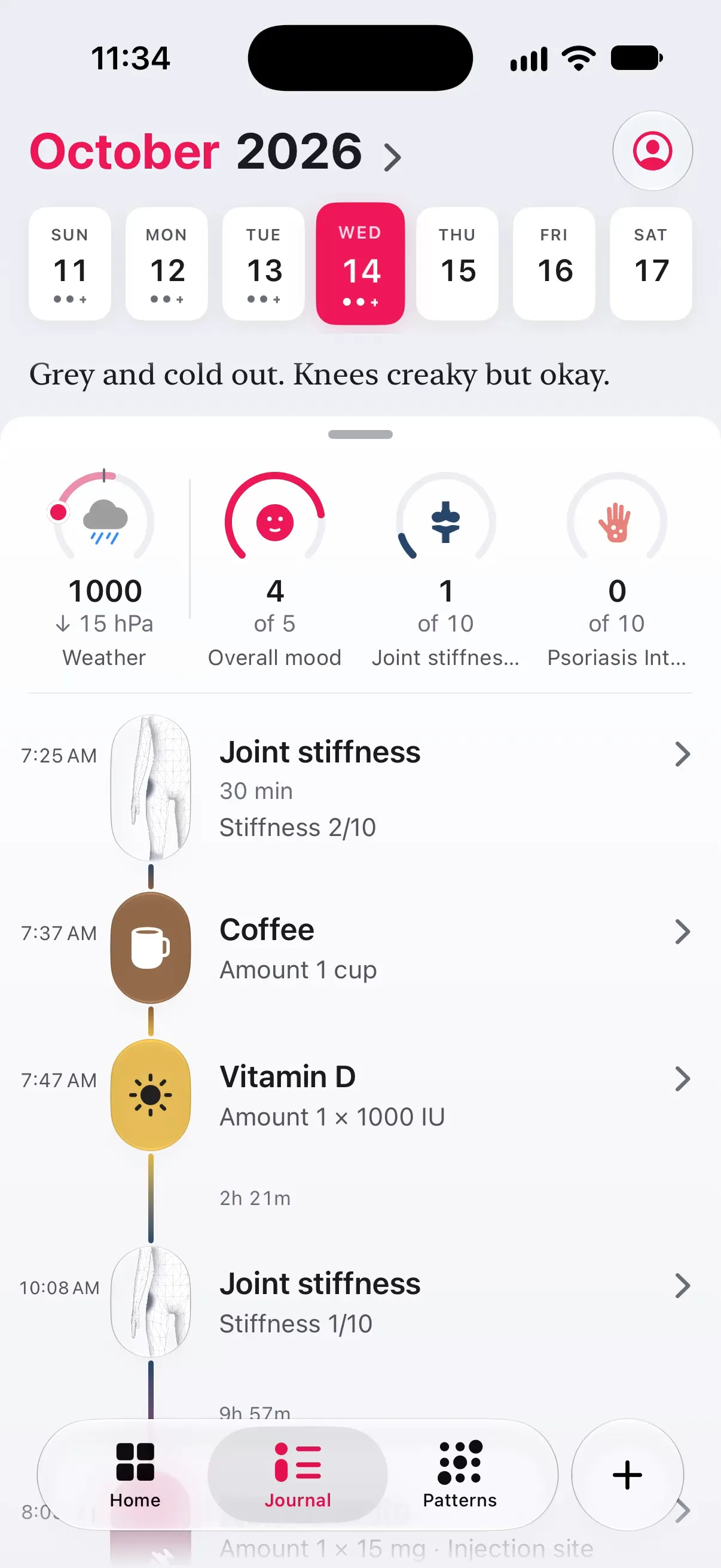
- 01Tap a day to go to it, or tap the month to open the whole month as a grid.
- 02The note is yours, as long as you like, always open to edit. Add timed notes through the day too.
- 03Pull the day sheet down and it folds to one row of key indicators, with the note behind it.
02The timeline
Entries · notes · workouts · doses
Time you can see.
The space between two entries grows with the time between them, and a long gap says how long: “2h 21m”. A morning of entries reads close together; a quiet afternoon reads quiet.
Each entry with its value, its note and up to three photos. Tap a photo and the whole album opens. Entries within five minutes share one dot.
With Apple Health connected, your workouts can sit in the day at the time you did them, next to how you felt.
Today’s scheduled treatments wait at their time until taken. Tomorrow’s page already shows when they are due.
03Key indicators
The numbers you watch
Your numbers, against your own measure.
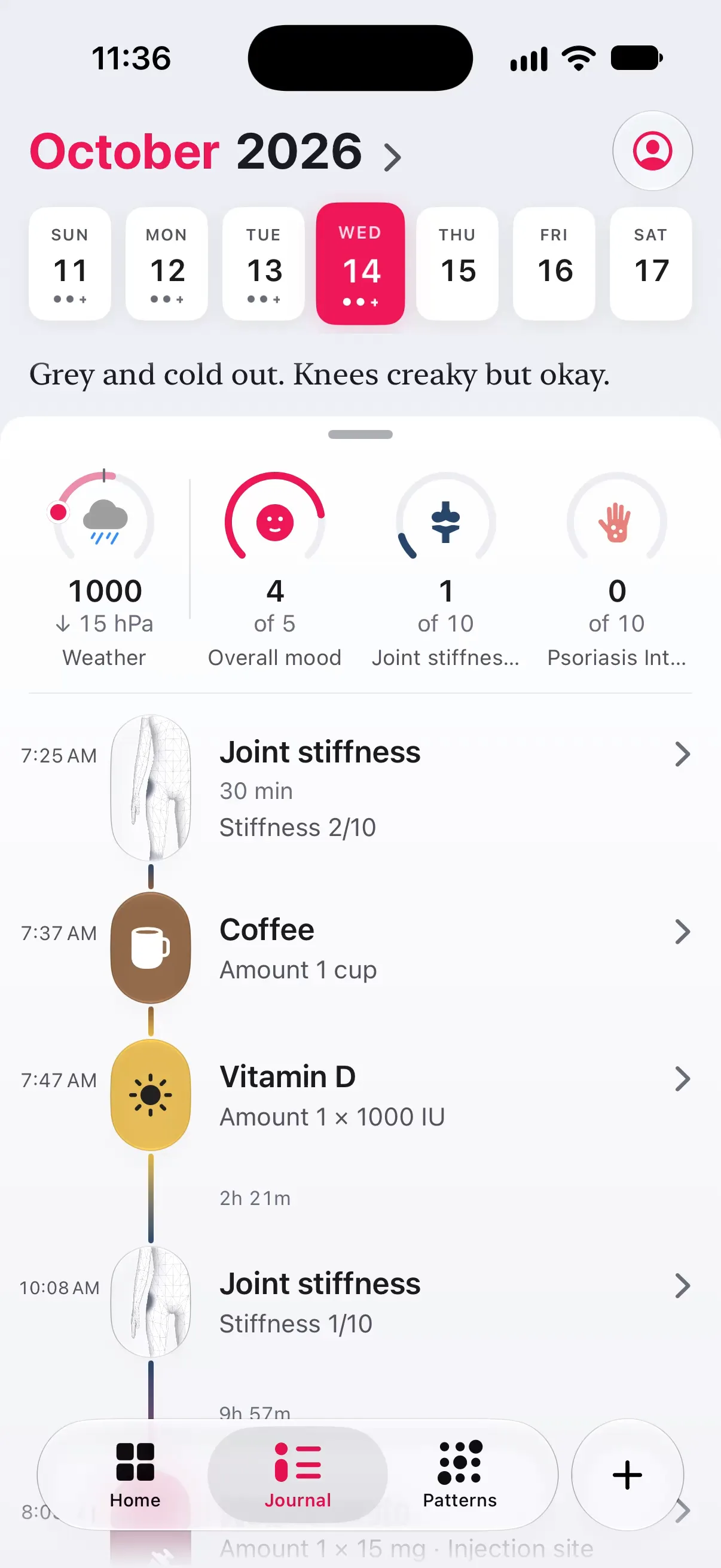
The top of each day is a row of tiles you choose: overall mood, a symptom, a treatment, sleep or steps from Health. Each fills an arc against a reference, so “4” means something at a glance.
- 01Measure each one against what makes sense for it: the top of its scale, its schedule, your best day or your average of the last four weeks, or a number you type.
- 02Every day keeps its own row, so swiping back a week shows that week’s numbers.
- 03Touch and hold the row to add or remove tiles.
04Weather
Pro · Apple Weather
When the pressure falls, you hear it first.
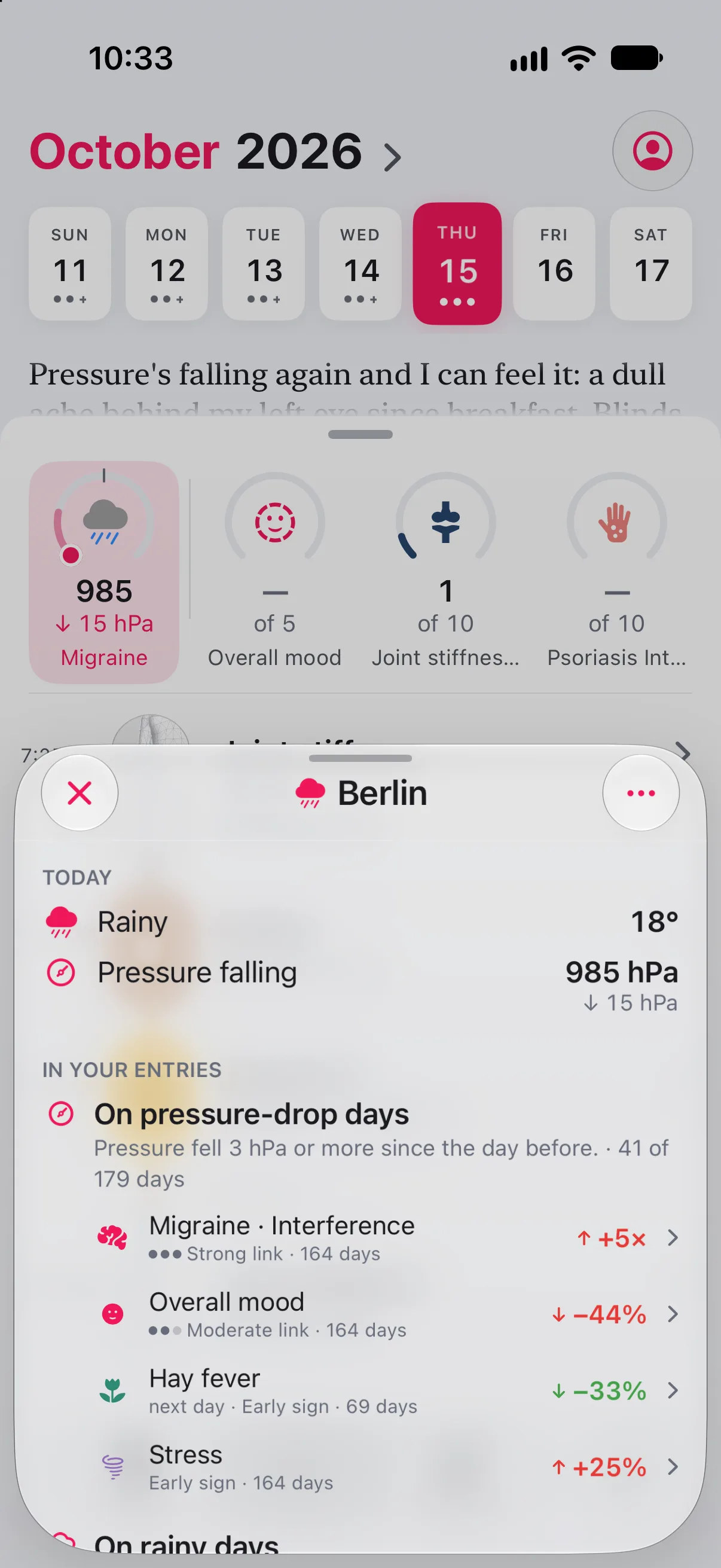
With Pro, the Journal carries the day’s weather for your home region from Apple Weather: air pressure, how it moved since yesterday, the high and the sky. A fall of 3 hPa or more is marked as a drop.
In your colours
On a drop day, the weather tile takes the name and colour of the tracker that has been worse on drop days before, from your own entries.
The next days
Today and the next three days carry a forecast tile, so a drop on Friday shows on Thursday.
The evening before
Switch on the alert and you get one quiet notification the evening before a forecast drop: Pressure dropping tomorrow
. 7 pm by default, at the time you choose.
Only a region
You set one home region, typed or found once from your location. Longnote keeps its name and coordinates rounded to about a kilometre, never your location fix.
05Read next
Guides · Support
More on keeping a useful diary.
06Explore more
Features
The rest of the note.
-
 Body atlas where it hurts Mark the exact spot, watch it move over months.
 -
 Quick log in seconds Hold the plus, slide, let go. No sheet on a bad day.
 -
 Patterns that say how sure Observations, early signs and patterns, graded honestly.
 -
 Summary for your doctor Your log as a few clean pages for the appointment.
Start today’s page.
Free to download, free to keep. The Journal is free; weather comes with Pro. Every page stays on your iPhone.